


MMGuardian Parental Control
4.39.72K Reviews
App Specs
- Version
- 3.7.42
- Updated On
- License
- Free
- Downloads
- 1,000,000+
- Developer
- MMGuardian.com
- Categories
- Parenting
- Platform
- Android, iOS
Screenshots
 Analysis by AppCompare
Every parent knows the delicate balance between giving their kids the freedom to explore the digital world and ensuring they stay safe online. That's where MMGuardian Parental Control swoops in like a digital superhero. I’ve been tinkering with this app for a while, and I’m here to spill all the beans about my experience. Grab a seat, and let’s dive in!
The Setup Experience
Setting up MMGuardian Parental Control was a breeze. I mean, who doesn't love an app that doesn’t require a degree in rocket science to get started? You simply download the app on your child’s device and link it to your own. The user interface is intuitive, making it easy to navigate even if you’re not tech-savvy.
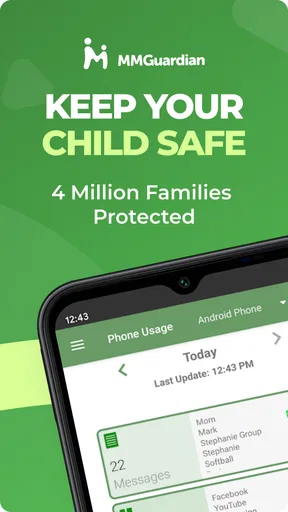
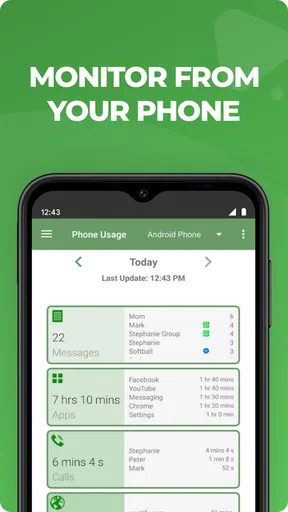
Once installed, you’ll find a comprehensive dashboard that lets you monitor your child’s activities. From calls and texts to app usage, it’s like having a window into their digital world. The app also provides detailed reports, which are super handy if you're the type who likes to keep tabs on the nitty-gritty details.
Features That Stand Out
Let’s talk about the features, because this app is packed with them. One of my favorites is the App Control. It allows you to block or limit the usage of specific apps. If your kid is spending too much time on TikTok or any other app, you can set time limits or block it entirely. This feature alone is worth its weight in gold.
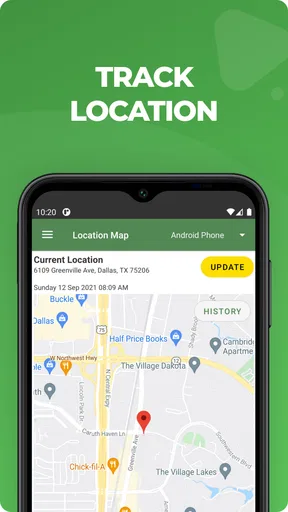
Another cool feature is the Location Tracking. Yep, you heard that right. You can see where your kid’s device is at any given moment. This is a lifesaver if you’re a worrywart like me and want to ensure your child is safe.
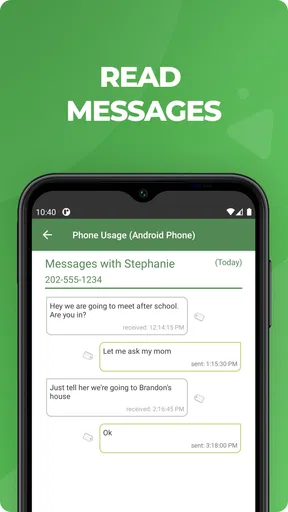
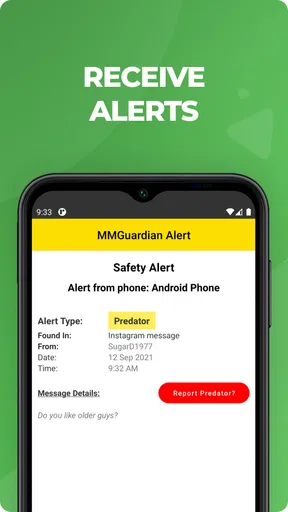
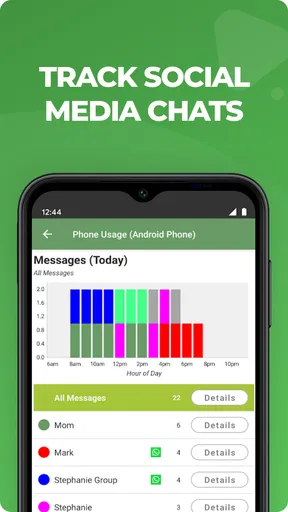
Last but not least, the Text Monitoring feature. You can view their text messages and get alerts for any suspicious activity. This feature provides peace of mind, especially in today’s world where cyberbullying is a real concern.
In the Real World
Now, let’s talk about how this app performs in real life. I found that the battery consumption is minimal, which is a big plus because no one wants an app that drains your phone’s battery faster than you can say "parental control." The app runs smoothly in the background without any noticeable lag.
Worth Reading Before You Choose

EA SPORTS FC Mobile 26 Is a Bigger Football Game, but It Takes Time

Flipboard Shows What News Apps Must Do Beyond the Feed

Switching to Android Auto Means Rethinking Your Driving Routine

Google Calendar Makes a Crowded Week Easier to Manage

Ludo King Makes the Most of the Minutes Between Plans

Baby Panda World Brings Quick Play to Modern Phones, but Its Game Library Feels Busy
One thing to note is the communication with kids. I found it beneficial to have an open conversation with my child about why I’m using this app. Trust me, it makes a world of difference when they understand it’s about safety, not spying.
Final Thoughts
So, what’s the verdict? MMGuardian Parental Control is a solid choice for any parent looking to keep their children safe in the digital age. It’s comprehensive, user-friendly, and offers a wide range of features that cater to different parental needs.
If you’re in the market for a parental control app, this one is definitely worth checking out. Just remember, no app can replace the importance of having open and honest discussions with your kids about online safety. But as a tool, MMGuardian Parental Control is pretty darn effective.
Ready to take control of your child’s digital life? You can download the app for Android and iOS directly from the app store. Happy parenting!
Pros
- Comprehensive monitoring features available.
- User-friendly interface for easy setup.
- Real-time location tracking is accurate.
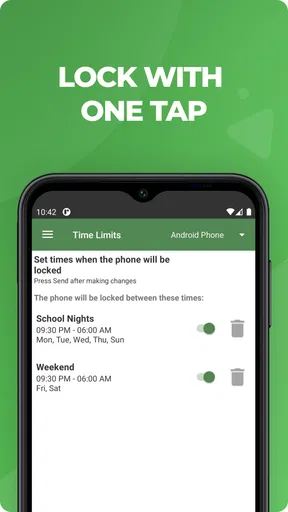
- Customizable screen time limits.
- Detailed activity reports for parents.
Cons
- Subscription can be pricey for some.
- Limited features on iOS compared to Android.
- Occasional app crashes reported.
- Setup may be complex for non-tech users.
- Notifications can be overwhelming.
FAQs for MMGuardian Parental Control
What features does MMGuardian Parental Control offer?
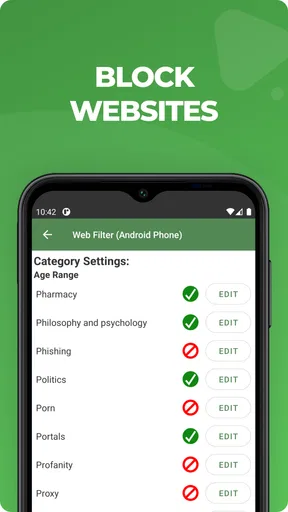
MMGuardian Parental Control provides a robust set of features to help parents manage their children's device usage. These include app blocking, screen time management, location tracking, and text monitoring. The app also offers web filtering to block inappropriate content and reports on usage statistics, helping parents make informed decisions about their child's digital habits.
Is MMGuardian Parental Control compatible with both Android and iOS devices?
Yes, MMGuardian Parental Control is available for both Android and iOS platforms. However, some features may vary between the two operating systems due to different security and privacy policies. It's advisable to check the specific functionalities available for your device before installation to ensure it meets your needs.
How user-friendly is the MMGuardian app for parents?
MMGuardian is designed with ease of use in mind, providing an intuitive interface that allows parents to quickly set up and manage controls. The app offers straightforward navigation with clear instructions for setting restrictions and monitoring. However, some users may need a little time to familiarize themselves with all the features and settings.
Is my child's data secure with MMGuardian Parental Control?
MMGuardian takes data privacy seriously and uses encryption to protect your child's information. The app adheres to strict privacy guidelines and ensures that collected data is used solely for monitoring purposes. Parents can feel assured that their child's data is handled with care, although reviewing the app's privacy policy is always recommended.
Does MMGuardian Parental Control require a subscription?
While MMGuardian offers a free trial period, continued use of its full suite of features requires a subscription. Different plans are available to suit various needs and budgets, including monthly and annual options. Subscribing provides access to premium features and ensures ongoing support and updates from the developers.


